Podcast › Episode 4

How to Get a Text Conversation Off Your Phone and Into a Dated File

Episode 4: Text Messages Off the Phone and Into a Dated File

By David Martino12:01October 29, 2026

Legal information, not legal advice. Listening doesn't create an attorney-client relationship, and reading this page doesn't create one either. Court rules vary by state and court.

The question

How do I get a text conversation off my phone and into a dated file I can find later?

Audio only
Also in your podcast appApple PodcastsSpotifyYouTubeRSS feed

Someone asks a simple question. When did the pickup time change? You remember the conversation, yet finding the message means scrolling through eight months of texts. A screenshot turns up with the words “Yes, that works.” The date is outside the picture, and so is the question that came before that answer.

Episode 4 of The Steadycase Podcast covers getting text messages off the phone and into a dated file. The goal is a conversation you can read, check, and find again months later. This page walks through the method, one made-up example, and three common questions.

The short answer: four small steps

Here is the whole method.

  1. Keep the original conversation.
  2. Save a separate copy and check its contents.
  3. Give the file a clear name.
  4. Add a log entry with its location.

Why a screenshot can lose the conversation

Think about an ordinary week. A conversation about Friday’s pickup starts on Monday. Someone suggests a different time on Wednesday. The answer comes on Thursday, between a question about homework and a photo from school.

One screenshot may show the answer without the proposal. Another may show the proposal without the date. Once those pictures are mixed into the camera roll, following the exchange becomes one more organizing task.
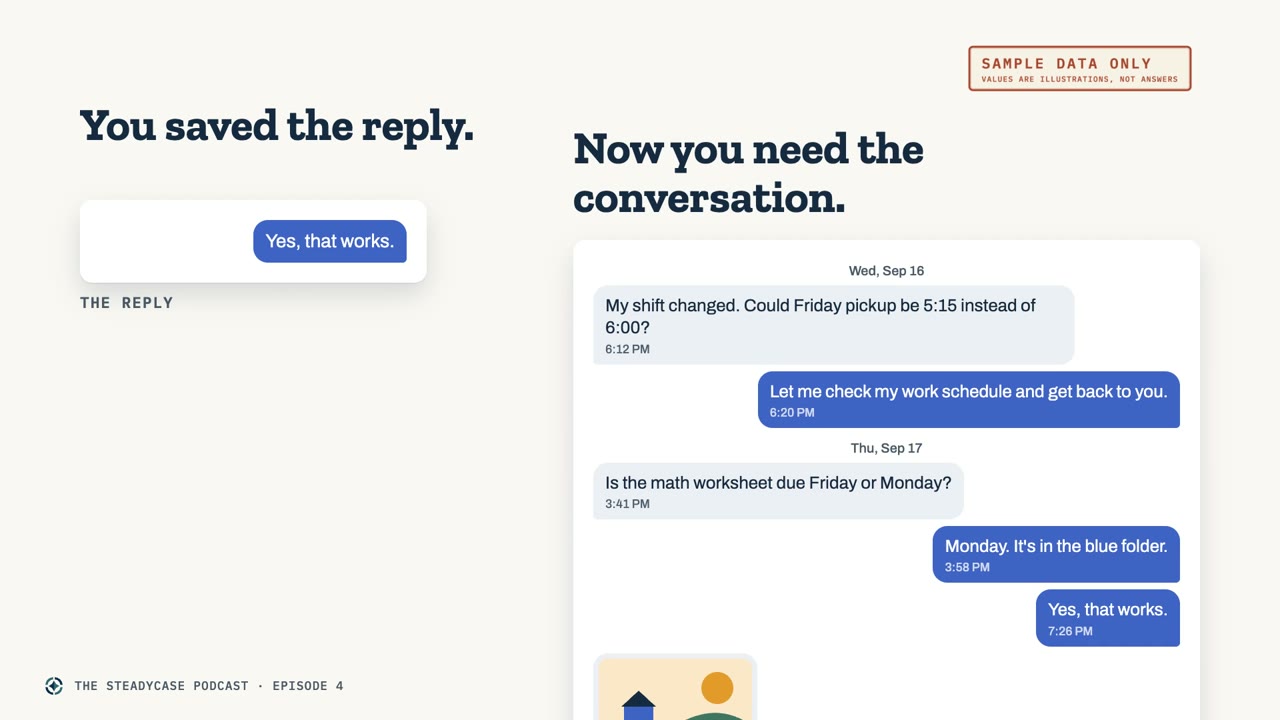
Slide titled You saved the reply. Now you need the conversation., with a cropped screenshot reading Yes, that works beside the full thread of dated messages around it, marked Sample data only.
Sample data only. The reply alone, and the conversation around it.

What a dated record includes

A full export gives you a separate copy of the conversation. Exporting means saving messages from the phone, or from a backup of it, into a file you can open on its own. A PDF is one common format.

For a dated record, look for the date, the time, and the sender on every message, with the surrounding messages in order. That lets you read the exchange from beginning to end.

The word “export” does not guarantee all of those details. Different tools produce different results. Some include message times only after you change a setting, and some leave out attachments. That is why opening the file is part of the method.
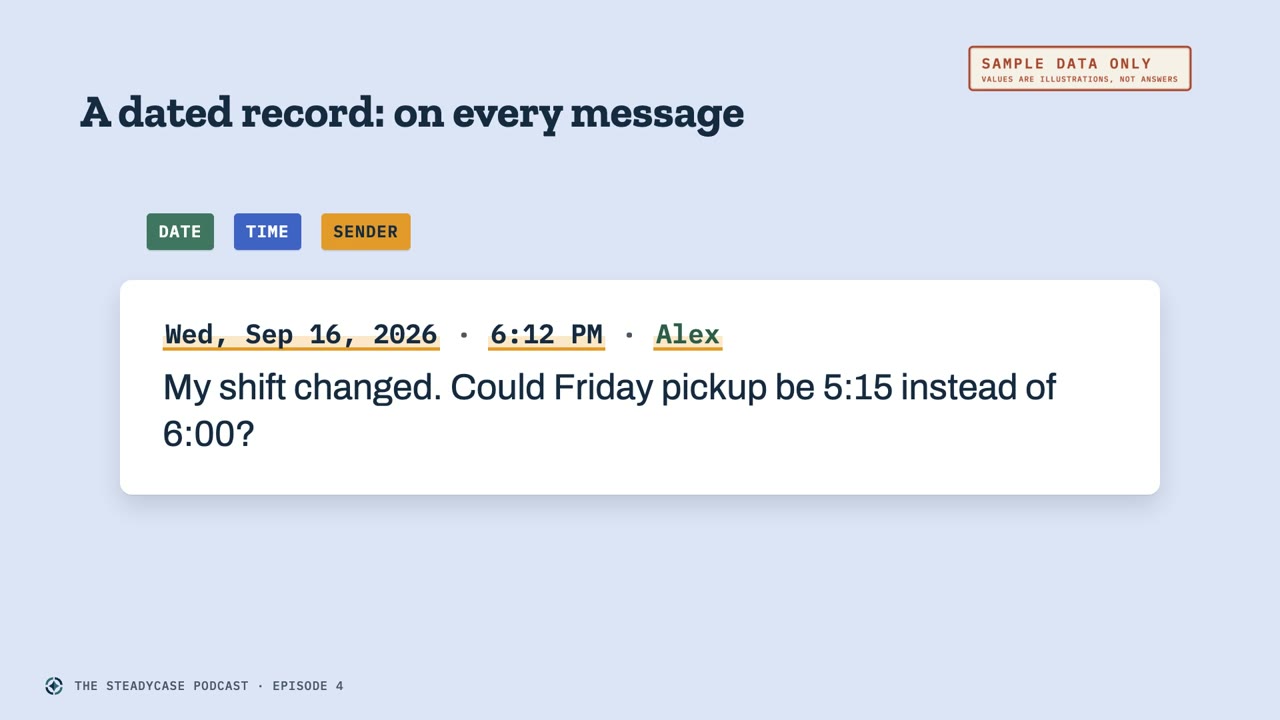
Slide titled A dated record: on every message, with one message labeled Date, Time and Sender: Wednesday, September 16, 2026, 6:12 PM, Alex. My shift changed. Could Friday pickup be 5:15 instead of 6:00? Marked Sample data only.
Sample data only. A date, a time and a sender on the message itself.

Free routes come first

There are free options. Buying an app is not automatically the first step.

On Android, free tools can save or print a conversation, and some run on the phone without a computer. There are limits. Certain types of messages may be missing, and a maker may not say whether every printed message includes its own time.

For an iPhone owner with a Mac, Apple’s published instructions describe saving a conversation as a PDF on the Mac. Reports about that route describe dates at intervals rather than a time beside every message. The result can be a readable conversation without every detail of a complete dated record.

With an iPhone and only a Windows computer, our research did not find a free, point-and-click option for a whole thread. The free guide explains that gap and describes paid alternatives. A free trial may save only a few messages, so check the trial’s limits before counting on a full export.

The guide includes published prices and available independent ratings, with their sources and the dates we checked them. Steadycase has not tested the tools. Questions about a particular tool go to its maker.
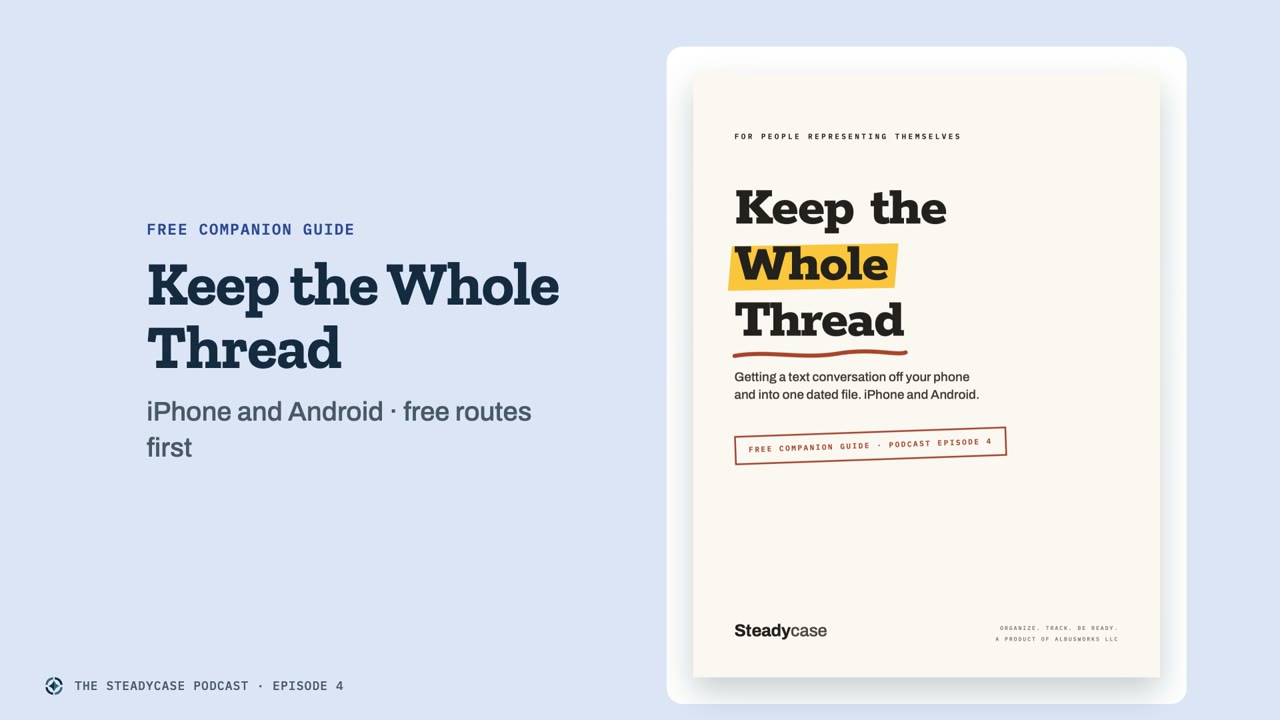
The cover of Keep the Whole Thread, the free Steadycase companion guide, labeled iPhone and Android, free routes first.
Keep the Whole Thread, the free companion guide to this episode.

Check the export before you file it

Start with the source. Keep the original conversation on the phone, and keep a backup of the phone. An export makes a separate copy. It is not a reason to delete the thread.

Before saving the file, check the tool’s settings for message times and sender information. Some tools save photos separately, so check what the maker says about attachments, too.

Then open the exported file. Start near the beginning and see whether it reaches back to the expected date. Check the end as well. Can you follow both sides of the exchange, with a date, a time, and a sender on each message?

Compare a few parts with the conversation on the phone, including a photo or an attachment you recognize. If something is missing, check the maker’s instructions before treating that export as complete.

Keep the export exactly as the tool produced it. For highlights or notes, make another copy. Keep the untouched export in your archive.
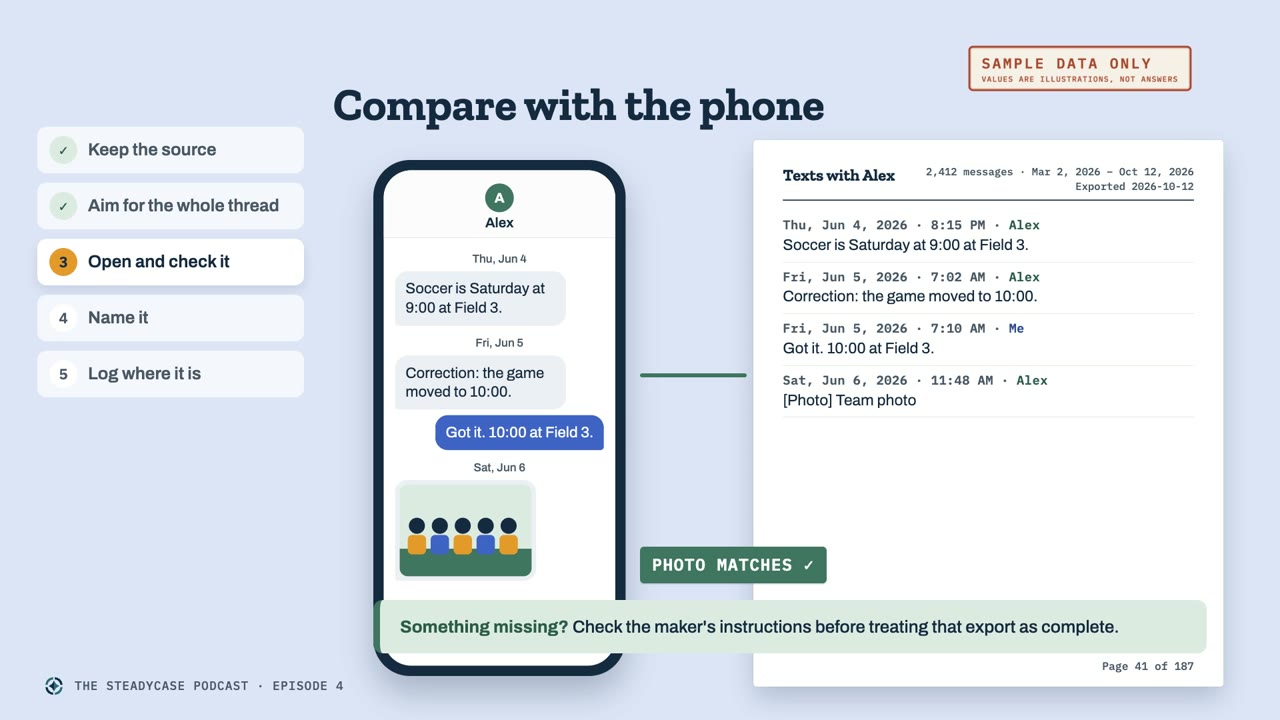
Slide titled Compare with the phone, with a phone screen beside the matching page of the exported PDF, a Photo matches check, and the line Something missing? Check the maker's instructions before treating that export as complete. Marked Sample data only.
Sample data only. The same messages on the phone and in the export.

Name the file so you can find it again

Start the file name with the export date. Then add the conversation and its date range. A name like “texts with Alex, March to October” tells you much more than “messages final two.”

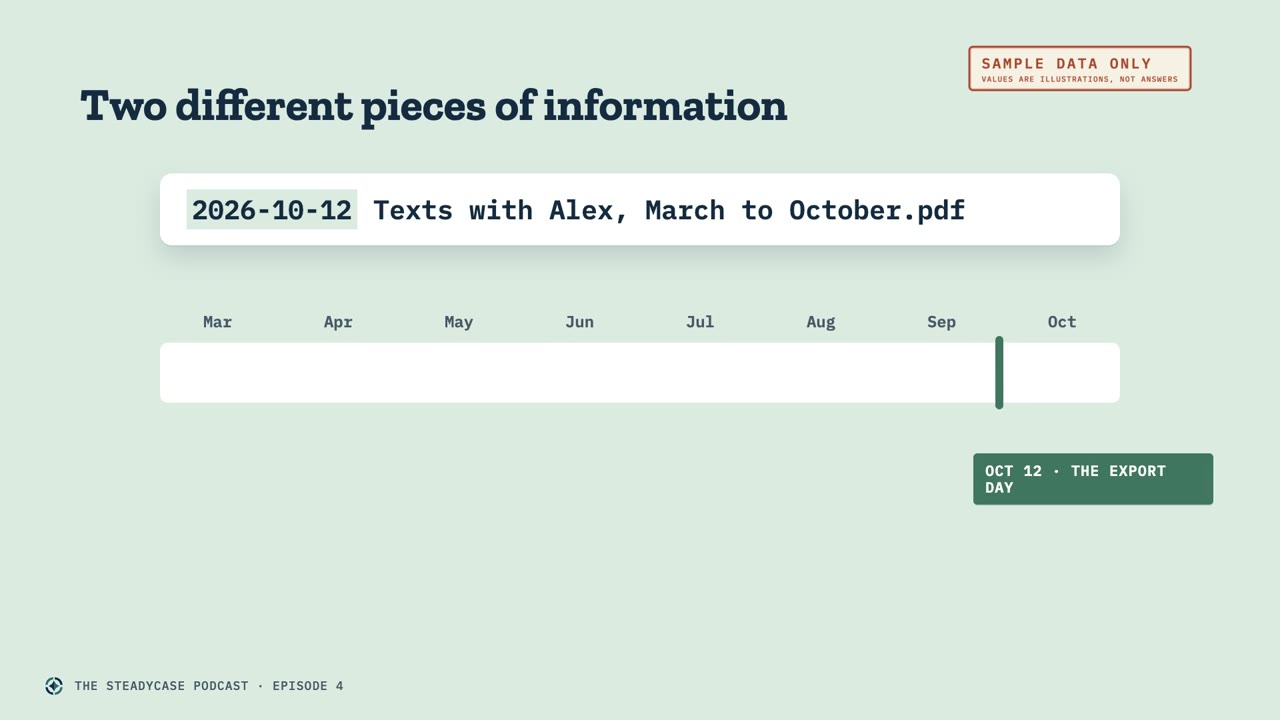
The date at the beginning of the file name is the day you made the export. The dates inside the file belong to the messages themselves. Those are two different pieces of information.
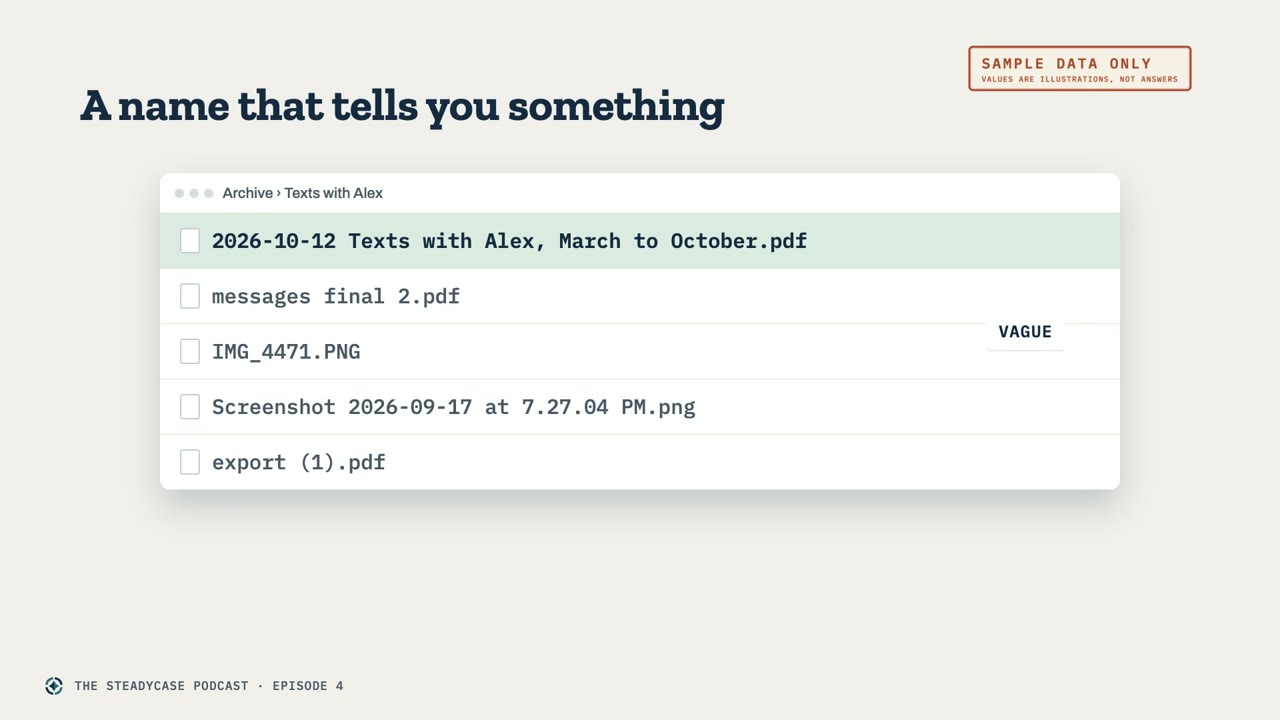
Slide titled A name that tells you something, with a folder list in which 2026-10-12 Texts with Alex, March to October.pdf stands out from vague names such as messages final 2.pdf and export (1).pdf, marked Sample data only.
Sample data only. One clear name among vague ones.
Slide titled Two different pieces of information, with the file name 2026-10-12 Texts with Alex, March to October.pdf above a March to October timeline marked October 12, the export day. Marked Sample data only.
Sample data only. The export date in the name, and the message dates inside the file.

Log where the file is saved

Finally, add a short log entry that points to the file. Record what it contains and exactly where you saved it.

The field in the Document Everything Method guide is called “where the file is saved.” A folder and a file name give you a useful answer.
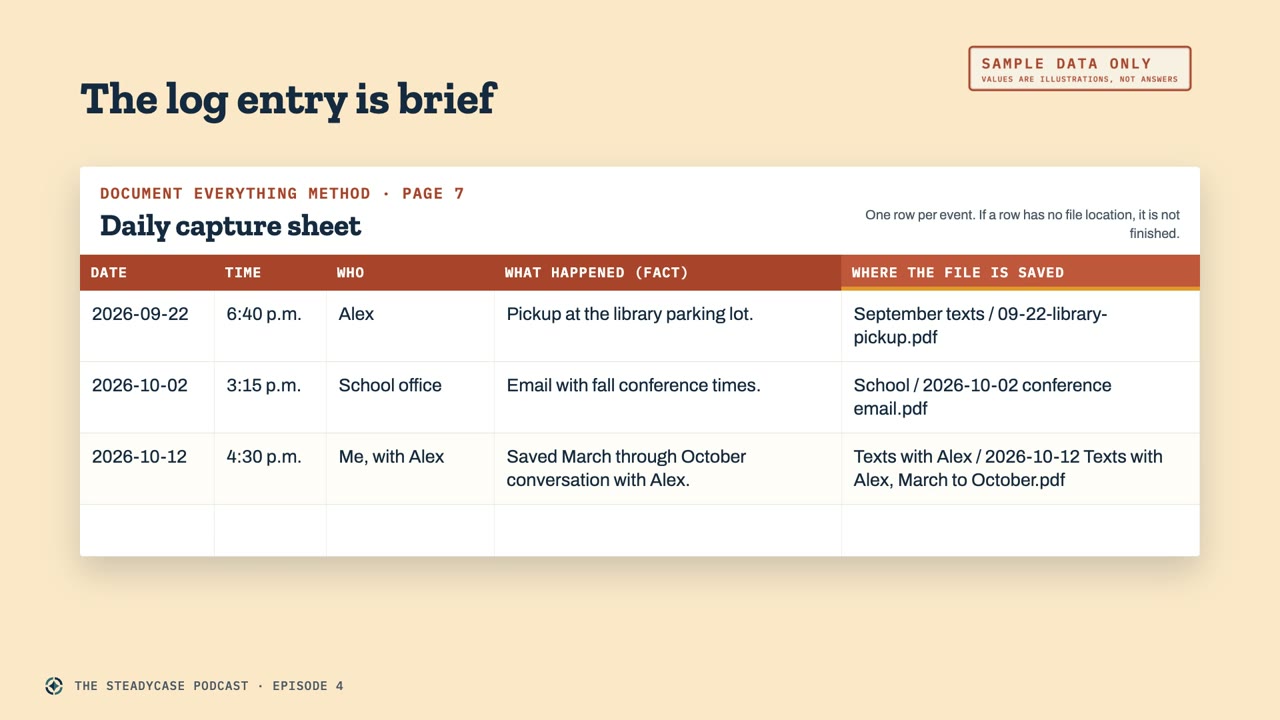
Slide titled The log entry is brief, showing the Daily capture sheet from the Document Everything Method with three sample rows. The October 12 row reads Saved March through October conversation with Alex, saved in Texts with Alex, 2026-10-12 Texts with Alex, March to October.pdf. Marked Sample data only.
Sample data only. A short entry, with the folder and file name in the last field.

A worked example

Here is a made-up example. The parent from episode 1 has been texting with Alex. On October 12, their conversation goes back to March and contains about 2,400 messages. The parent remembers that Alex proposed a new Friday pickup time in September. Finding that exchange means scrolling past months of other messages.

The parent exports the whole thread into a PDF. Before filing it, they open the PDF and compare the September exchange with the phone. Both sides are there, and each message has a date, a time, and a sender.

They name the file with the export date first, followed by “Texts with Alex, March to October,” and save it in an archive folder called “Texts with Alex.” The log entry is brief: “Saved March through October conversation with Alex.” The file name and folder go in the field for where the file is saved.

A month later, the parent is organizing a working packet about the pickup schedule. The log points them to the export, and they can read the proposal and the answer together. Copies of that exchange, including the surrounding messages, go into the working packet. The complete export stays unchanged in the archive, and the original thread is still on the phone.
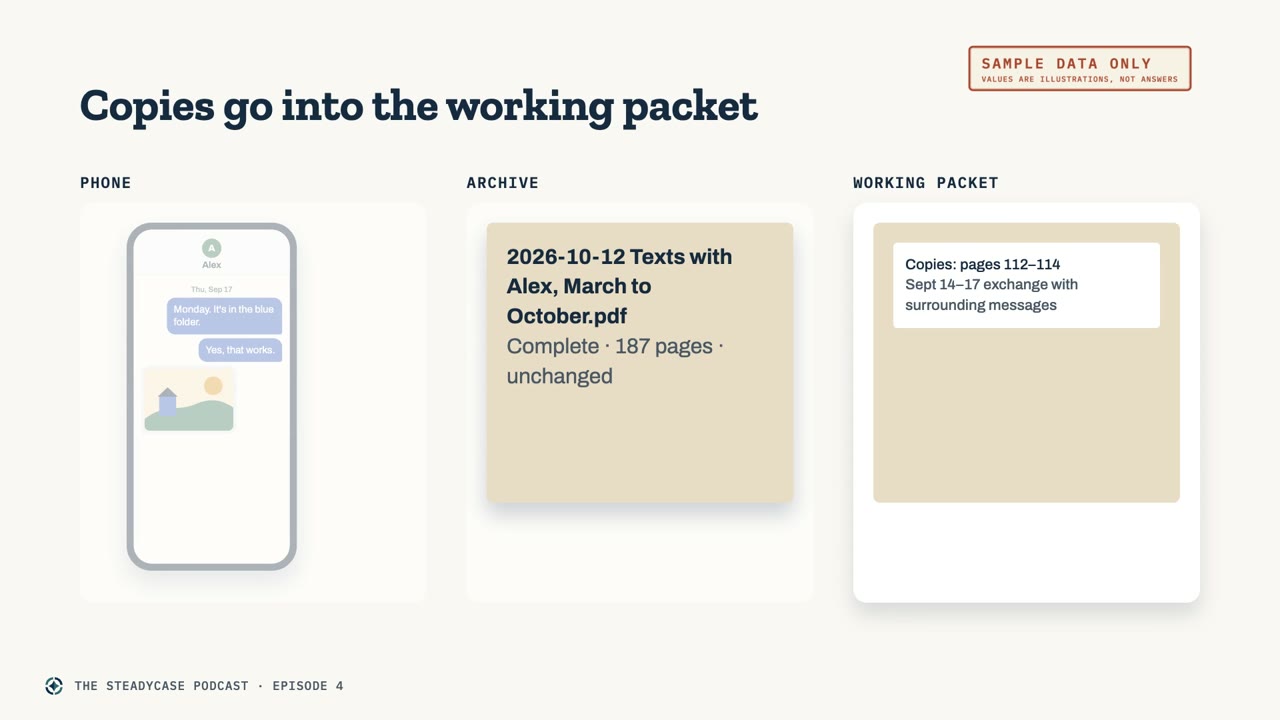
Slide titled Copies go into the working packet, with three columns: the phone, the archive holding 2026-10-12 Texts with Alex, March to October.pdf, complete and unchanged, and a working packet holding copies of the September exchange with the surrounding messages. Marked Sample data only.
Sample data only. The original on the phone, the export in the archive, copies in the packet.

Before you change phones

Before you trade in, reset, or replace the old phone, save a separate export of each conversation you want in your archive. Save those files somewhere you can reach without the old phone.

Once the new phone is set up, check the conversations themselves. Look for the older messages and attachments that should be there. Keeping the old phone until you have checked the transfer gives you a chance to compare the two devices.

A backup and a readable export serve different purposes. A backup helps restore a phone. An export is a separate, readable file.
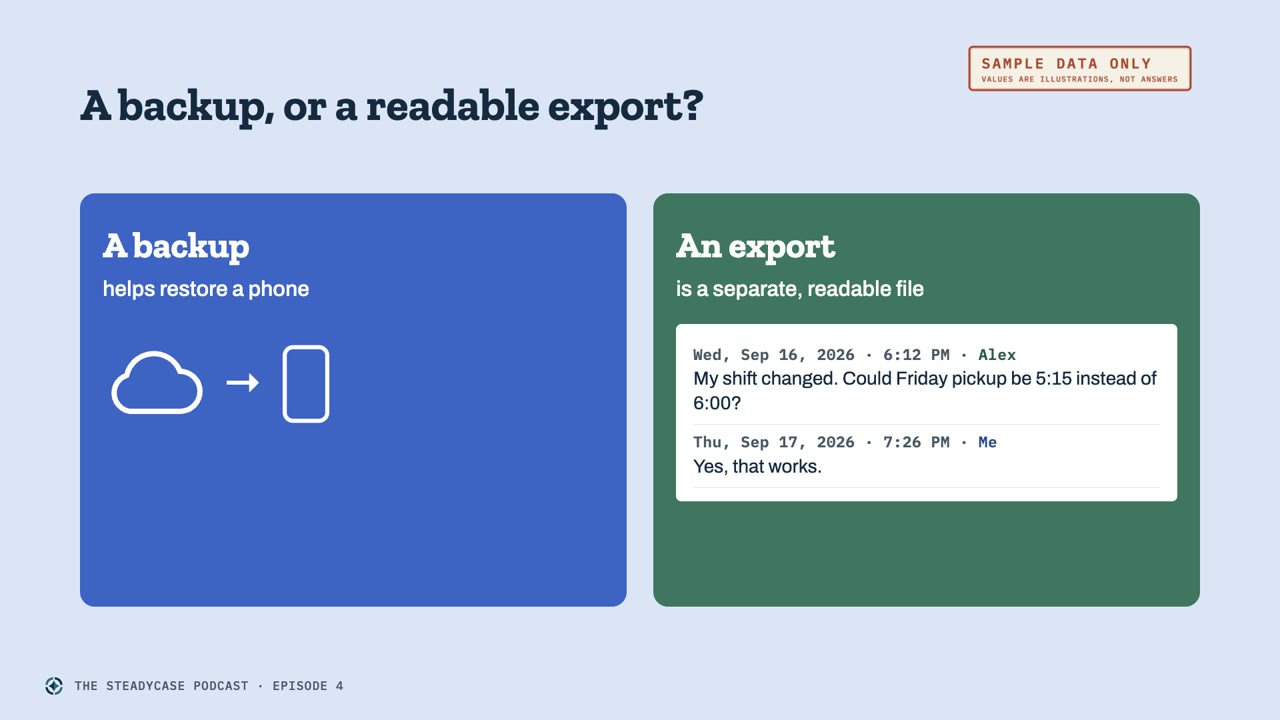
Slide titled A backup, or a readable export?, with two panels. A backup helps restore a phone. An export is a separate, readable file, showing two dated messages. Marked Sample data only.
Sample data only. A backup restores a phone. An export can be read on its own.

One manageable step for today

Start with one conversation. Give it a clear name and a place in your records.

The free companion guide, Keep the Whole Thread, covers iPhone and Android, with the free routes first: getsteadycase.com/keep-the-whole-thread. The log page behind this method is in the free Document Everything Method guide: getsteadycase.com/document-everything.
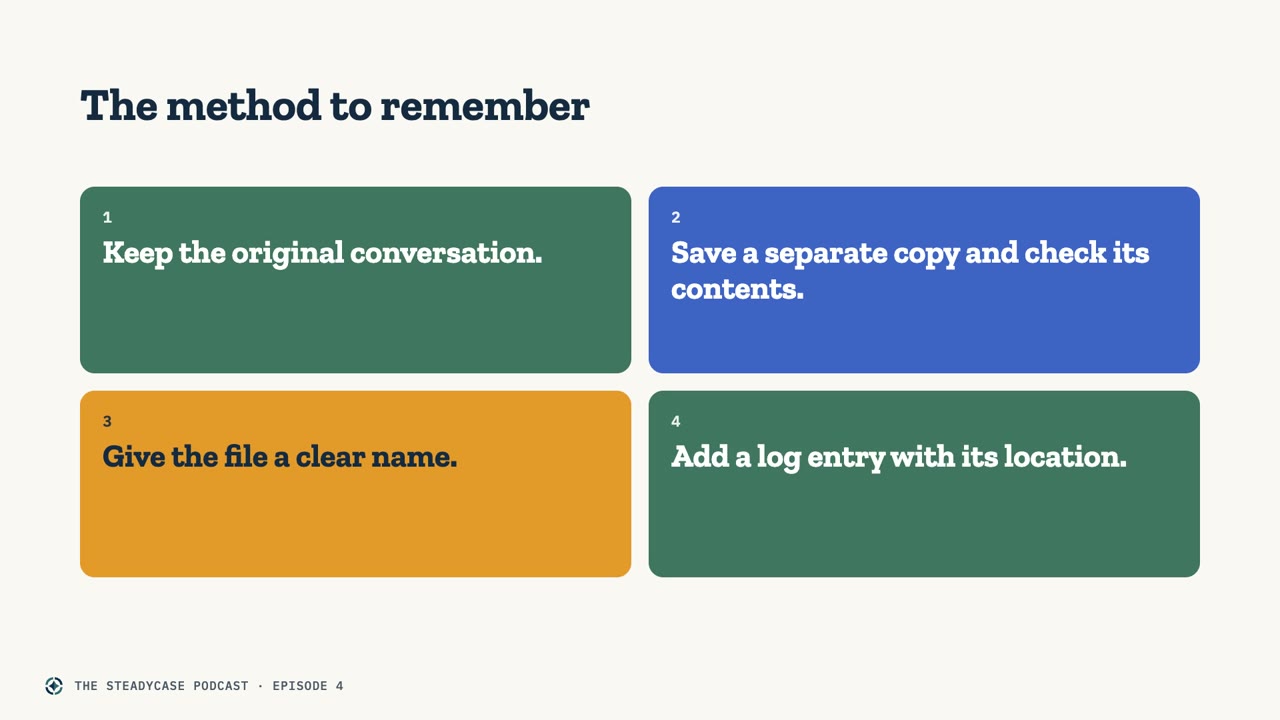
Slide titled The method to remember, with four tiles: Keep the original conversation. Save a separate copy and check its contents. Give the file a clear name. Add a log entry with its location.
The method in four steps.

A place for the record and its notes

The Custody Trial Notebook has space for foundation notes beside the exhibit entries, alongside each record’s description and source. $69 for the spreadsheet edition (Excel or Google Sheets) or $49 for the fillable Print Edition. One time, either way.

See the Custody Trial Notebook

Going through a divorce? See the Divorce Trial Notebook

Common questions

Is a screenshot enough?

A screenshot can help you remember an exchange. It captures the part of the conversation visible on the screen, so check whether it includes the date, the sender, and the messages needed to understand the answer. Whether a screenshot is enough for a court is a separate question. Courts often expect a witness to identify a record and explain how they know it. Lawyers call that laying a foundation. Your state’s rules of evidence and the court’s procedures set the requirements, and a date and a sender do not settle every question about whether a court will accept a record. A licensed attorney in your state can advise you about your situation.

Should I export everything, or just the important messages?

For this archive method, keep the whole thread. A reply can be hard to understand without the question, and a later message can correct an earlier one. The working packet for a particular court date is a separate collection, and it does not have to contain the entire archive. Keeping a complete export does not decide which records to offer in court, or replace any required originals or formats.

Is there a free way to export a text conversation?

There are free options. On Android, free tools can save or print a conversation. For an iPhone owner with a Mac, Apple’s published instructions describe saving a conversation as a PDF, though reports describe dates at intervals rather than a time beside every message. For an iPhone with only a Windows computer, our research did not find a free, point-and-click option for a whole thread. The free Keep the Whole Thread guide covers each route.

What should I do before I get a new phone?

Save a separate export of each conversation you want in your archive, somewhere you can reach without the old phone. After the new phone is set up, check for the older messages and attachments that should be there, and keep the old phone until you have checked the transfer.

What is the difference between a backup and an export?

A backup helps restore a phone. An export is a separate, readable file you can open on its own. Keep that distinction in mind when checking your records after a phone change.

Keep the Whole Thread

Free companion guide for iPhone and Android.

Get the free guide

Document Everything Method

The log page behind this method, as a free guide.

Get the free guide
Read the transcript

Someone asks a simple question. When did the pickup time change?

You remember the conversation. You remember looking at your phone that evening. Now you're scrolling through eight months of texts, trying to find the message with the actual time.

There's a screenshot somewhere, too. You open it, and the message says, “Yes, that works.” The date is outside the picture. So is the question that came before that answer.

You saved the reply. Now you need the conversation.

I'm attorney David Martino, and welcome to The Steadycase Podcast. This show offers general legal information for everyone listening and practical ways to keep your records organized. An attorney who represents you can advise you about your own case.

In our first episode, we started a simple habit of writing short log entries pointing to each record. In the second, we built a smaller working packet for a court date. In the third, we gave the whole case a lasting home in the Custody Trial Notebook.

Today we're getting text messages off the phone and into a dated file. The goal is a conversation you can read, check, and find again months later.

Think about how you use your phone during an ordinary week. A conversation about Friday's pickup starts on Monday. Someone suggests a different time on Wednesday. The answer comes on Thursday, between a question about homework and a photo from school.

One screenshot may show the answer without the proposal. Another may show the proposal without the date. Once those pictures are mixed into the camera roll, you have another organizing task before you can follow the exchange.

A full export gives you a separate copy of the conversation. By export, I mean saving messages from the phone, or a backup of it, into a file you can open on its own. A PDF is one common format.

For a dated record, we're looking for the date, the time, and the sender on every message. The surrounding messages stay in order. That's what lets you read the exchange from beginning to end.

The word “export” doesn't guarantee all of those details. Different tools produce different results. Some include message times only after you change a setting. Some leave out attachments. That's why opening the file is part of the method.

We put together a free companion guide called Keep the Whole Thread. It covers iPhone and Android, with free routes first.

I want to emphasize that point. There are free options. Buying an app isn't automatically the first step.

On Android, there are free tools that can save or print a conversation. Some run on the phone, without a computer. There are limits, though. Certain types of messages may be missing, and a maker may not say whether every printed message includes its own time.

For an iPhone owner with a Mac, Apple's published instructions describe saving a conversation as a PDF on the Mac. Reports about that route describe dates at intervals, rather than a time beside every message. It may give you a readable conversation without all the details of a complete dated record.

If you have an iPhone and only a Windows computer, our research didn't find a free, point-and-click option for a whole thread. The guide explains that gap and describes paid alternatives. A free trial may save only a few messages, so check the trial's limits before you count on a full export.

The guide includes published prices and available independent ratings, with their sources and the dates we checked them. Steadycase hasn't tested the tools. Questions about a particular tool go to its maker.

I'll give you the guide's address at the end. For now, let's walk through what happens around the export, whichever route you choose.

Start with the source. Keep the original conversation on the phone and keep a backup of the phone. Saving an export makes a separate copy. It isn't a reason to delete the thread.

Aim for the whole conversation. Before saving the file, check the tool's settings for message times and sender information. Some tools save photos separately, so check what the maker says about attachments, too.

Then open the exported file. Start near the beginning. Does it reach the date you expected? Check the end as well. Can you follow both sides of the exchange, with a date, a time, and a sender on each message?

Compare a few parts with the conversation on the phone. Look at a photo or an attachment you recognize. If something is missing, check the maker's instructions before treating that export as complete.

Keep the export exactly as the tool produced it. If you want highlights or notes, make another copy for those additions. Keep the untouched export in your archive.

Next, give the file a name you'll understand later. Start with the export date, then describe the conversation and the period it covers. A name like “texts with Alex, March to October” tells you much more than “messages final two.”

The date at the beginning of the file name is the day you made the export. The dates inside the file tell you when the messages were sent. Those are two different pieces of information.

Finally, add a short log entry pointing to the file. Record what it contains and exactly where you saved it. The field in the Document Everything Method guide is called “where the file is saved.” A folder and a file name give you a useful answer.

Let's follow the parent from our first episode, the one exchanging texts with Alex. This is a made-up example.

It's October twelfth. Their conversation goes back to March and contains about twenty-four hundred messages. The parent remembers that Alex proposed a new Friday pickup time in September. Finding that exchange means scrolling past months of other messages.

The parent exports the whole thread into a PDF. Before filing it, they open the PDF and compare the September exchange with the phone. Both sides are there. Each message has a date, a time, and a sender.

They name the file with the export date first, followed by “texts with Alex, March to October.” They save it in an archive folder called “Texts with Alex.”

The log entry is brief. “Saved March through October conversation with Alex.” The file name and folder go in the space for where the file is saved.

A month later, the parent is organizing a working packet about the pickup schedule. They remember September. The log points them to the export, and they can read the proposal and the answer together.

Copies of that exchange, including the surrounding messages, go into the working packet. The complete export stays unchanged in the archive. The original thread is still on the phone.

The export, the file name, and the log entry each serve a purpose. The export contains the conversation. The name identifies it. The log tells the parent where they saved the file.

Let me answer three questions about that method.

First, is a screenshot enough?

A screenshot can help you remember an exchange. It captures the part of the conversation visible on the screen. Check whether it includes the date, the sender, and the messages needed to understand the answer.

Whether a screenshot is enough for a court is a separate question. Courts often expect a witness to identify a record and explain how they know it. Lawyers call that laying a foundation.

Your state's rules of evidence and the court's procedures set the requirements. A date and a sender don't settle every question about whether a record will be accepted. A licensed attorney in your state can advise you about your situation.

The organizing point is to keep the identifying details and the surrounding conversation. The Custody Trial Notebook has space for foundation notes beside the exhibit entries. That gives those notes a place alongside the record's description and source.

Second, do I export everything, or just the important messages?

For this archive method, keep the whole thread. A reply can be hard to understand without the question. A later message can correct an earlier one. Saving the conversation keeps that context available for another reading.

The working packet is a separate collection for a particular court date. It doesn't have to contain the entire archive. Keeping a complete export doesn't decide which records to offer in court, or replace any required originals or formats.

Third, what happens if I get a new phone?

Before you trade in, reset, or replace the old phone, save a separate export of each conversation you want in your archive. Save those files somewhere you can reach without the old phone.

Once the new phone is set up, check the conversations themselves. Look for the older messages and attachments you expected. Keeping the old phone until you've checked the transfer gives you a chance to compare the two devices.

A backup and a readable export serve different purposes. A backup helps restore a phone. An export is a separate, readable file. Keep that distinction in mind when checking your records after a phone change.

Here's the method to remember. Keep the original conversation. Save a separate copy and check its contents. Give the file a clear name and add a log entry with its location.

The free companion guide, Keep the Whole Thread, is at getsteadycase.com/keep-the-whole-thread. You can sign up there to get the guide. It starts with the free options, then compares other tools using their published information.

If you want the log page behind this method, the free Document Everything Method guide is at getsteadycase.com/document-everything. Both links are in this episode's notes.

Have a topic you'd like us to cover? Email [email protected]. Please leave out the details of your own case. For help with an export tool, contact its maker.

Start with one conversation. Give it a clear name and a place in your records. Thanks for listening.